
- Login to your MoEngage Dashboard
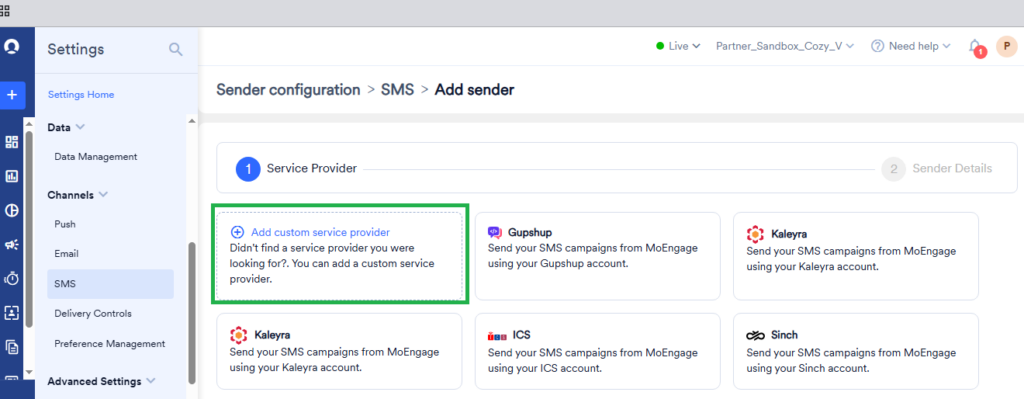
- Navigate to Settings >> Channels >> SMS in MoEngage dashboard
- Click on Add SMS Sender
- Here select Add custom service provider
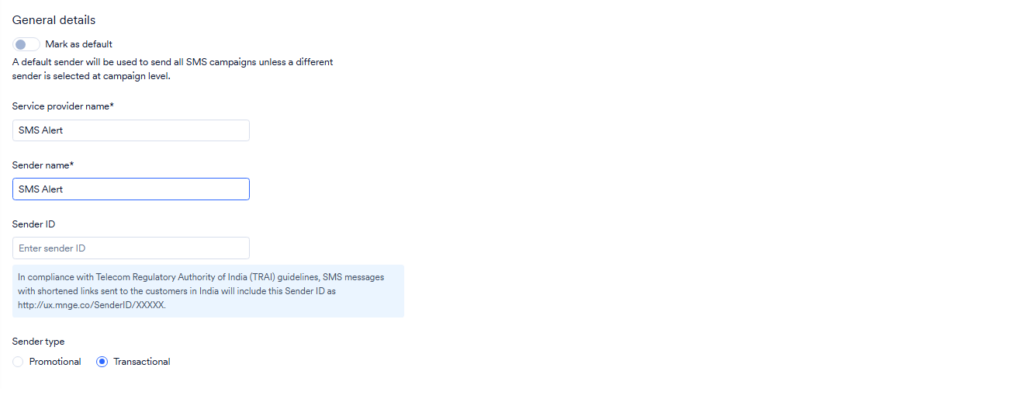
- Enter service provider name eg. SMS Alert
- Enter sender name eg. SMS Alert
- Choose Sender type as Transactional
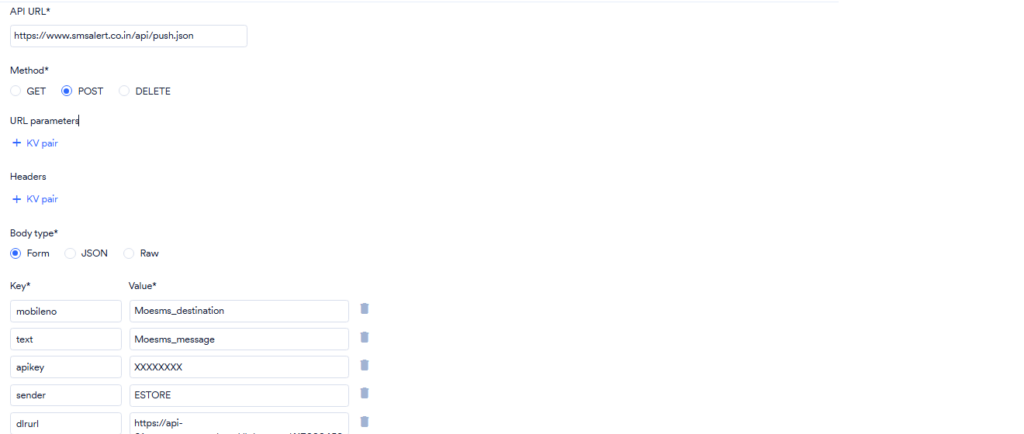
- Enter API URL as https://www.smsalert.co.in/api/push.json
- Choose Method as POST
- Body Type Form
- Add KV pair beloy body type as below
| mobileno | Moesms_destination |
| text | Moesms_message |
| sender | YOUR_SMS_ALERT_SENDER |
| apikey | YOUR_SMS_ALERT_APIKEY |
- Scroll down and Click on Next
- Copy delivery callback url, and click on previous button
- Now add 2 more KV pairs below body type
| dlrurl | URL_COPIED_IN_PREV_STEP |
| reference | %I |
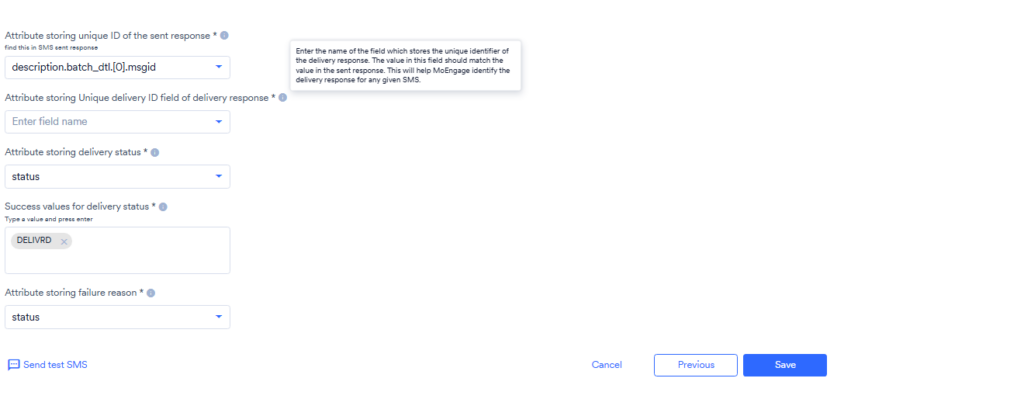
- Under “Map attributes of the delivery response” select “Map fields manually”
- Enter values in fields as below
| Attribute storing unique ID of the sent response | description.batch_dtl.[0].msgid |
| Attribute storing Unique delivery ID field of delivery response | id |
| Attribute storing delivery status | status |
| Success values for delivery status | DELIVRD |
| Attribute storing failure reason | status |
Click on Save, and your integration is complete.